
Welcome to Your Rider Hub
This guide will help you get started and keep your lessons, bookings and riding information within easy reach.
Watch the short video below to get started.
What You’ll Learn
- Create your account
- Create a rider or family account
- Book and manage your activities
- Manage your schedule
- Make payments
New here? Watch this video before using your account for the first time. It will help you get started.
A Message to our New Riders & Families
We believe the experience of being part of a riding program is something meaningful. It’s built over time through consistency, trust, and the moments you spend at the barn.
Our goal is to make the experience feel more organized and steady so your time stays focused on riding and being part of this community.
We’re glad you’re here.
Get started
Ready in under 5 minutes
Follow these 5 simple steps and you’ll be booking lessons from your phone today.
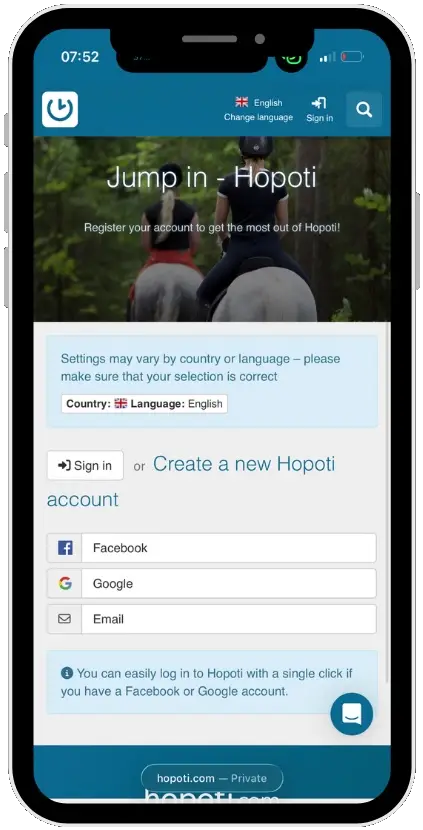
Step 1 of 5
Create Your Free Account
You’ll be ready in a minute
If you haven’t yet received an email invitation to join Hopoti, click Create Account to get started.
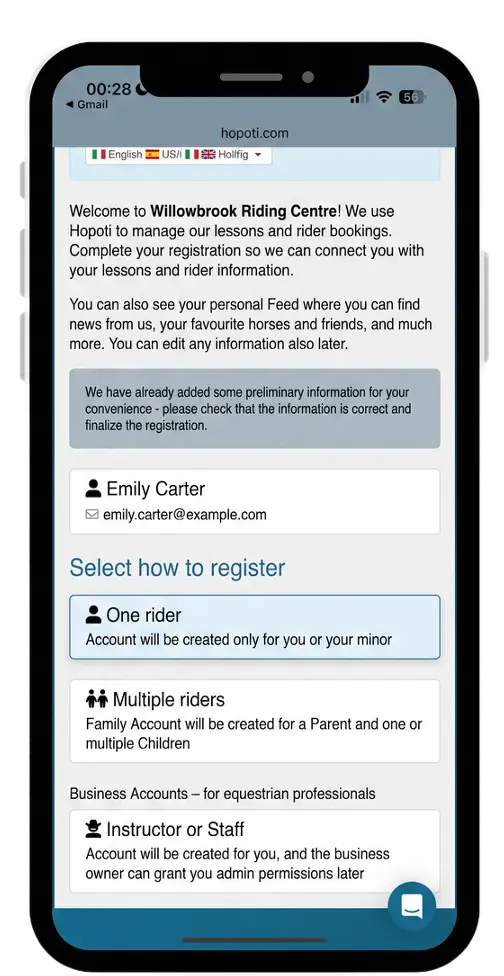
Step 2 of 5
Choose Your Account Type
One rider or a whole family
Select One Rider for an individual account, or Family Account if you’re a parent managing multiple riders. You can book for everyone from a single login.
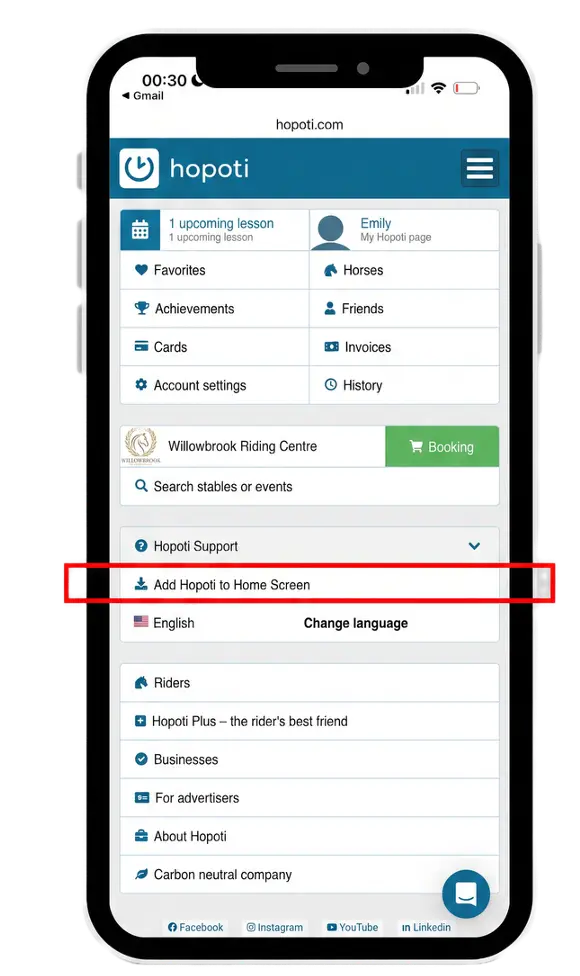
Step 3 of 5
Add the App to Your Phone
Your barn in your pocket
First, make sure you’re using Safari (not Chrome). Then tap the Share button at the bottom of your screen, scroll down, and tap “Add to Home Screen.” The app will appear on your home screen like a regular app — no App Store needed.
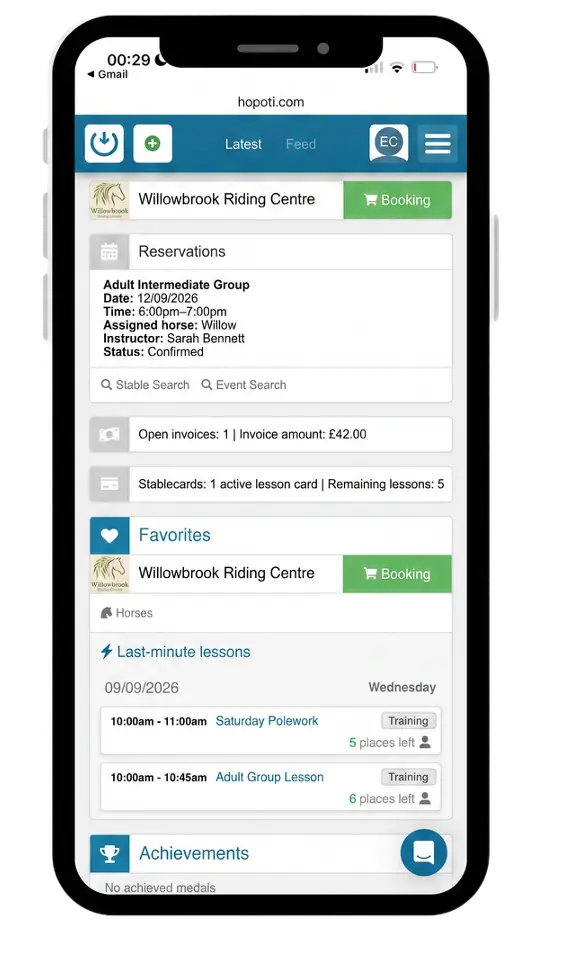
Step 4 of 5
See your Schedule & Invoices
Your riding life at a glance
Browse open lesson times, camps, clinics, and events.
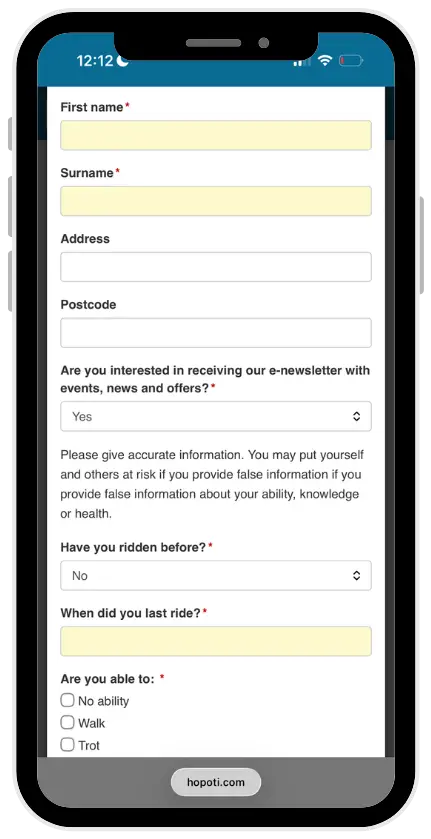
Step 5 of 5
Sign Your Waiver
You’re all set
Your riding center may ask you to complete a waiver and a few questions about your riding experience. Fill it in from your phone — nothing to print, nothing to bring with you.
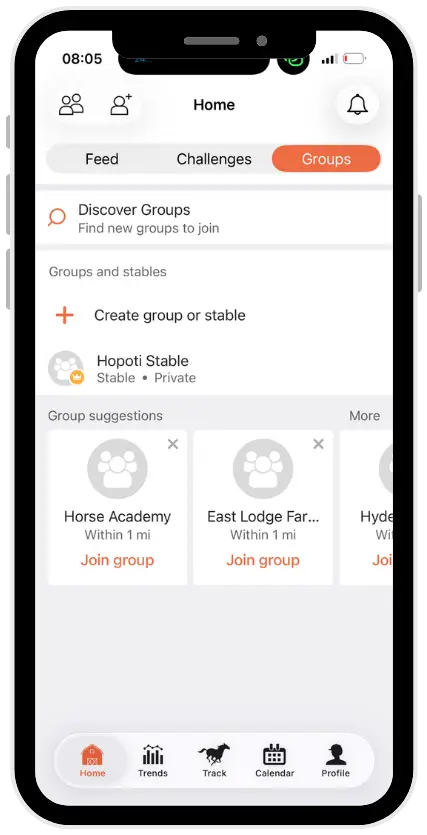
My Stable Community
Equilab and Hopoti, together
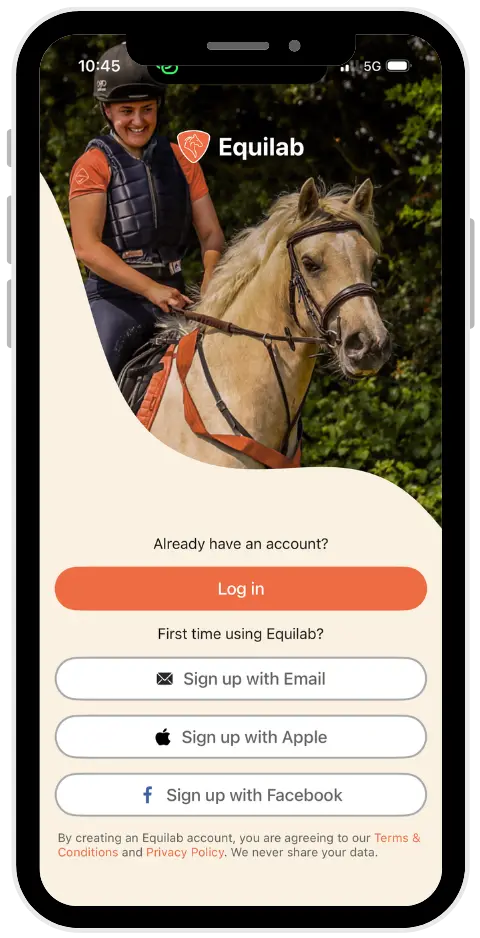
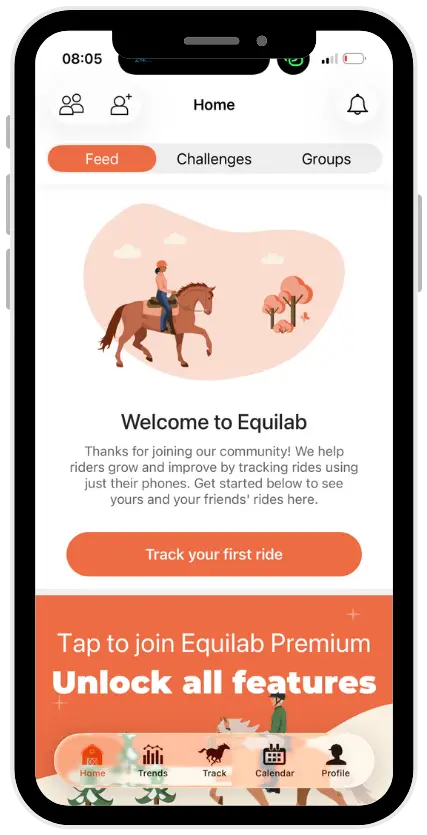
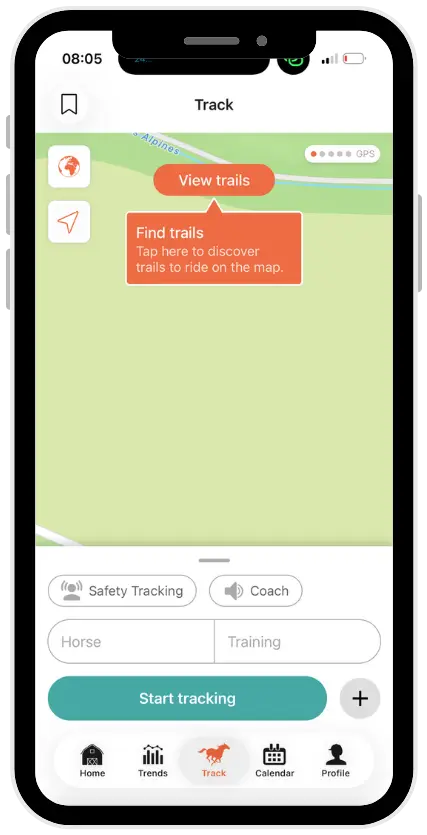
From your first lesson to your next milestone, Equilab tracks every ride.
Getting the two working together
Download Equilab
Install the Equilab app from the App Store or Google Play.


Ask your stable about it
Mention it next time you are at the barn, or send them a note. It is your riding center’s decision, so a rider asking for it carries more weight than anything we could say.
Read about EquilabWhat this means for you
Everything in one place
Your Schedule
See open slots in real time. Cancel or reschedule any time, day or evening.
Never Miss Updates
Announcements, events, and your riding diary — all in one Feed.
Track Your Progress
Every lesson logs automatically. See how far you’ve come and share it.
Stay Connected
Message your instructors and the team directly. Questions and updates, all in one place.
Calendar Sync
Sync with your personal calendar and get automatic reminders before every lesson.
Camps & Events
Discover everything your stable offers: camps, clinics, hunter paces, and more.
A few more things to know
Need help? No problem.
The app is easy to use, but if you need any help, the Hopoti team is here for you. Simply email support@hopoti.com.
Parents & Families
Manage multiple riders under one account. See all your kids’ upcoming lessons in a single view and book on their behalf with ease.
Your Full Riding History, Always There
The app keeps a record of everything — past reservations, invoices, and lessons attended. You can look back at any time, track spending, and always have your history in one place.
Ready to get started?
It takes about five minutes.